Just realised that after discussing Magic Lantern's Intervalometer, it has a built-in "bulb ramping" option whereby, after a period of calibration, the software can automatically adjust each shot to maintain the same exposure. This would be particularly useful in shooting a day to night sequence for example where the lighting is changing constantly, but one wants the exposure to remain constant to avoid "flickering" during the final output sequence.
Something else to try!
Another alternative method to taking a series of still images, is to make use of Magic Lantern's Frame Rate Override function and use video mode instead. Usually, the DSLR will only go down as far as 24fp, but with the override enabled, the frame rate can go as low as 4fps. I have just briefly investigated this and the results seem good although, if shooting in daylight with such a slow shutter (in this case 1/4s, 360 degree shutter), one has to close down the aperture of the lens a great deal to prevent over exposure.
More to try again!
Tuesday, July 31, 2012

DSLR Moire FCP Filter
One of the drawbacks of using DSLR cameras for video work is their inherent moire problems when shooting certain types of image.
I have just stumbled across this "moire" removal plugin for Final Cut Pro, and must give it a try at some point:
http://colorbyjorg.wordpress.com/plugins/
I have just stumbled across this "moire" removal plugin for Final Cut Pro, and must give it a try at some point:
http://colorbyjorg.wordpress.com/plugins/
Magic Lantern
For anyone wishing to shoot video with their Canon DSLR, they should seriously think about installing Magic Lantern. I have had Magic Lantern running on my own 550D for about 18 months now and whilst it can be a little on the "flaky" side on occasion, it really does open up a raft of extra features including manual audio gain control (an absolute must!) and an excellent intervalometer for timelapse.
It also now seems that Magic Lantern has a new website and yet another new version out:
http://www.magiclantern.fm/
Sorry, just checked - the new version is only currently available (31st July 2012) for PayPal contributors. However, it will be free to all from Monday 13th August 2012.
It also now seems that Magic Lantern has a new website and yet another new version out:
http://www.magiclantern.fm/
Sorry, just checked - the new version is only currently available (31st July 2012) for PayPal contributors. However, it will be free to all from Monday 13th August 2012.
Monday, July 30, 2012
Ultra HD Timelapse
Usually, the lowest JPEG setting on a DSLR is more than adequate to turn the series of images into a full HD timelapse sequence. The lowest quality JPEG setting on the Canon 550 happens to be 2592 x 1728 pixels, which is obviously more than enough for 1920 x 1080 video. However, I plan to take this much further and string together a timelapse sequence made from the highest setting of 5184 x 3456 pixels, which will then be cropped down to a 4k image, which Final Cut Pro will support. The Canon 550D also as a "Normal" and "Fine" mode for its image quality settings, so to help keep the filesize down a little, the plan will be to probably just opt for the "Normal" setting!
Not only does using 18M pixel images enable the creation of ultra-HD sequences, but one can effectively pan and zoom within the large image and still create a full 1080p sequence too, without any loss in quality.
Results of both of these experiments will be posted shortly.....
Not only does using 18M pixel images enable the creation of ultra-HD sequences, but one can effectively pan and zoom within the large image and still create a full 1080p sequence too, without any loss in quality.
Results of both of these experiments will be posted shortly.....
Ice melting timelapse
Still playing with timelapse techniques for next year. Using the Magic Lantern software "hack", the in-built intervalometer was set to take a shot every 2 seconds. Mode on camera: AV, manual focus. Canon 550D with Canon 24 to 105 f/4L IS lens.

Update: 2500 still images (approx), taken into Quicktimer Player 7 and exported to Pro Res 422 LT, preserving a 1920 x 1080 aspect ratio using a crop.
Video available at: https://vimeo.com/46635877

Update: 2500 still images (approx), taken into Quicktimer Player 7 and exported to Pro Res 422 LT, preserving a 1920 x 1080 aspect ratio using a crop.
Video available at: https://vimeo.com/46635877
Sunday, July 29, 2012
Next year
Currently reflecting on last year's academic year in terms of how things went assessment wise, and whilst the students on AV Production really enjoyed the module on the whole, I want to try and better use lab time to support the coursework requirements for 2012/13. Therefore, I have decided to have one major piece of coursework (plus a Blackboard based phase test), which is split into three "milestones", with supporting labs occurring around each of these milestones. Last year, I ran various exercises within the lab times covering topics such as dubbing, video capture and editing using footage supplied by me. However, to encourage better engagement during these lab times, the plan is to get students to provide their own footage to work on such that they can use the introductory exercises to help them work on the coursework requirements. For example, if there is a lab exercise covering editing using Apple's Final Cut Pro, students will be asked to have footage shot and ready to work on in the lab, which not only will cover the requirements of the lab, but also the students can use the work produced towards their "milestone", rather than it simply being a "lab exercise".
Last year's Blackboard phase tests for both of my Final Year Modules went down extremely well with students too in that not only do they effectively take away the "human" side of things during the assessment period, but it also provides the students with instant feedback; something which is vital. I especially like the fact that one can keep adding to the "pool" of questions each year and then the test can be set up to say, randomly choose any 25 questions. The multiple choice answers can also be randomised too. These tests will be used again for next year's teaching, with more questions being added to the pool and perhaps, the amount of time allowed being reduced.
Last year's Blackboard phase tests for both of my Final Year Modules went down extremely well with students too in that not only do they effectively take away the "human" side of things during the assessment period, but it also provides the students with instant feedback; something which is vital. I especially like the fact that one can keep adding to the "pool" of questions each year and then the test can be set up to say, randomly choose any 25 questions. The multiple choice answers can also be randomised too. These tests will be used again for next year's teaching, with more questions being added to the pool and perhaps, the amount of time allowed being reduced.
Good tilt shift example
I have just written a new tutorial sheet on creating timelapse, tilt-shift sequences for my AV Production module, which I want to introduce my students to during the next academic year. This kind if photography seems to be getting more and more popular at the moment, as the opening titles for BBC's Sherlock demonstrate:
BBC's Sherlock Opening Credits
BBC's Sherlock Opening Credits
Friday, July 27, 2012
Canon 24 to 105 f/4 L IS lens

Recently I purchased the excellent Canon 24 to 105 f/4 L IS lens which not only is part of Canon's "LUXURY" line of lenses (that's what the "L" stands for apparently!), but it also has optical image stabilisation built in too. Whilst this can effectively provide up to 3 or 4 stops, (i.e. one should be able to use shutter speeds 3 or 4 times slower and still achieve sharp images) for still shooting, it also enables much better hand held video shooting too.
The video below is s short demonstration showing IS being turned OFF and ON for a focal length of 105mm. The results are very impressive. The only downside is if you are using a microphone at close proximity to the camera, in that the IS motor can be heard; much better therefore to use a separate mic on a pole for example.
A higher quality version can be found on my Vimeo pages - www.vimeo.com/digitalvideoslr.
More tilt shift timelapse
Shot this out of the office window today using Canon 550D and Canon 24 to 105 f/4L lens. Using the Magic Lantern "hack", the in-built intervalometer was set to take a shot every 2 seconds, making sure that the lens was set to MANUAL focus and that the camera was in AV (aperture priority) mode to ensure that the exposure was maintained through a change in shutter speed. Using AV ensures that the aperture remains constant, and thus, the depth of field remains constant too.
The 500 or so images were then taken into Quicktime Player 7 before exporting the sequence using Apple ProRes 422 (LT) with a 1920 x 1080 crop (as the original JPEG images have a 3:2 aspect ratio) before using the Variable Blur filter in Apple's MOTION.
The final sequence was graded using Magic Bullet Quick Looks and exported to MPEG4.
The 500 or so images were then taken into Quicktime Player 7 before exporting the sequence using Apple ProRes 422 (LT) with a 1920 x 1080 crop (as the original JPEG images have a 3:2 aspect ratio) before using the Variable Blur filter in Apple's MOTION.
The final sequence was graded using Magic Bullet Quick Looks and exported to MPEG4.
Monday, July 23, 2012
Safety Recording
I always try to drum into my students the importance of making the best use of two channel recording, whether it be directly on a camera, or via something like the Zoom H4N. If a single MONO source is being used (which it often is in location recording), why not make the best use of both recording channels? Why send an EXACT duplicate to both channels of the recorder when a better strategy would be to send a lower level backup to channel 2 which can be "got at" in post, if needed? Some cameras and recorders enable the user to direct the INPUT 1 to both channel 1 and channel 2 but sometimes it is still not possible to change the gain settings independently and instead, equal gain is applied to both recording channels. Therefore, a cheap and effective way of achieving this is to make use of a microphone splitter cable (female XLR to TWO male XLR). A video demonstrating this is available via my Vimeo Channel - www.vimeo.com/digitalvideoslr or directly via an RSS feed here.
There are some devices available which will enable the gain settings for both channels to be independently changed, even for a single mono input, however if the device doesn't allow this (as in the case of the Zoom H4N for example), this option is most effective....
In post, rather than having an exact duplicate of the recording obtained across both channels, one will have a backup copy, say 10dB lower in level, on channel 2, which can be used if there is any sudden overload on channel 1. It might not be needed, but at least there is a backup just in case!
Tilt Shift Timelapse
I have decided to explore the world of Time-Lapse Tilt-Shift creation this summer when I embark on a short cruise (courtesy of the Queen Victoria / Cunard). Providing one can position the camera high enough above the subject, it is possible to create some very convincing tilt-shift effects by simply using some kind of mask to alter the focus of some parts of the image (i.e. to create a short DoF). Therefore, the plan is to try and position the camera high enough on the ship to hopefully capture a series of still images which can later be processed to give the tilt-shift effect. I have already made a prototype sequence, shot from my office window and the result was most pleasing.... As can be seen, simply narrowing the DoF in the image (by de-focusing part of the image via a mask), turns the sequence into a "minature". As mentioned, this only works if one can position the camera way above the subject to give the impression of a "giant" peering down over it :)
Thursday, July 19, 2012
Downstairs Shower Room refurb in 5 days....


Very pleased.....
Monday, June 11, 2012
Decking in just one day
Very pleased - managed to build a 4.8m x 4m garden deck complete with 18 LED lights in just one day from scratch. I sourced some plastic adjustable feet from eBay which negated the need to construct the deck from the usual wooden posts, concreted into the ground. This new way allowed us to build the outer frame first, level it off using the adjustable feet (sat on concrete pad stones where necessary), before in-filling with joists. The feet are required every 1m or so, which also enabled the deck frame to be constructed from 3"x2" timber rather than the usual 6"x2", as it was so well supported. The whole frame is also fixed to the house wall using joist hangers too.


Thursday, March 08, 2012
Shed alterations
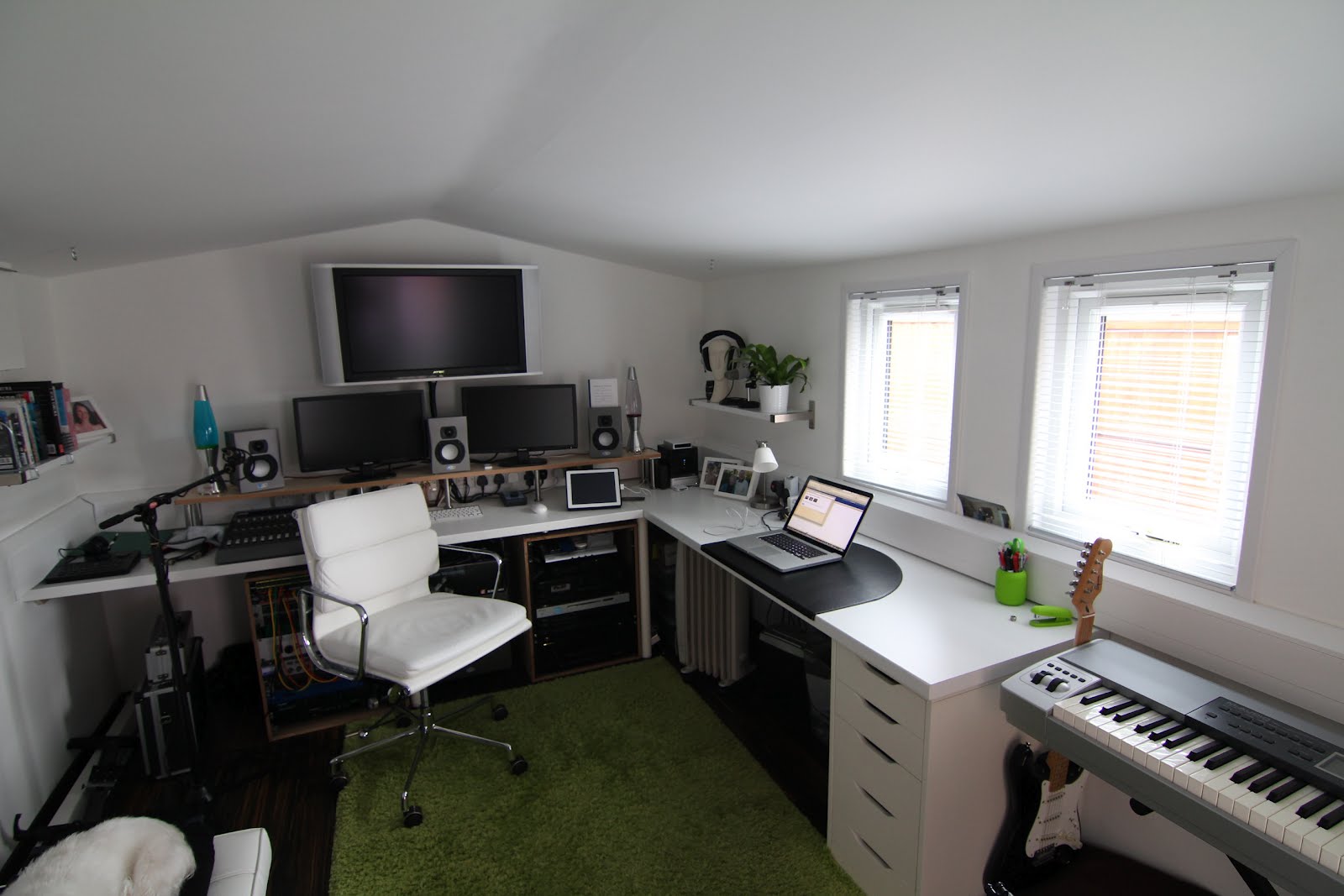


Forgot to post this at the time, so thought I'd add it now (better late than never!).
I was never happy with the fact that I didn't install any windows in my garden lodge, so last summer I fitted two windows to the side elevation along with some new worktop :)
I also treated the outside to a sand and an oil, which really brings out the cedar....
Thursday, February 09, 2012
Pluraleyes with multiple cameras and separate sound
Recently I have been playing around with using Pluraleyes to synchronise multiple cameras, all containing "scratch" audio, together with sound recorded on a separate solid state audio device. Once again, Pluraleyes worked flawlessly (once I developed a additional stage first) and the fact that it also automatically makes a multi-clip for Final Cut, makes it even better. I will shortly be testing out the new multi-cam and synchronise feature in Final Cut X which might make this method redundant, but here is my workflow for synchronising multiple cameras and separate sound for multiclip editing:
Firstly, transcode footage to both ProRes and ProRes PROXY (this is done as sometimes, depending upon the number of clips, and the power of your machine, Final Cut will struggle with the playback).
Secondly, use Pluraleyes to sync the separate sound to one of the camera angles.
Thirdly, export this as a new Quicktime file (you can use the reference movie option to save disc space).
Now, reimport this file back into Final Cut and use Pluraleyes to sync this file to the remaining camera angles.
Pluraleyes will make a multiclip with all cameras now synchronised.
Once edited, one can use the RECONNECT MEDIA option to relink the edit back to the original ProRes files.
Firstly, transcode footage to both ProRes and ProRes PROXY (this is done as sometimes, depending upon the number of clips, and the power of your machine, Final Cut will struggle with the playback).
Secondly, use Pluraleyes to sync the separate sound to one of the camera angles.
Thirdly, export this as a new Quicktime file (you can use the reference movie option to save disc space).
Now, reimport this file back into Final Cut and use Pluraleyes to sync this file to the remaining camera angles.
Pluraleyes will make a multiclip with all cameras now synchronised.
Once edited, one can use the RECONNECT MEDIA option to relink the edit back to the original ProRes files.
Tuesday, January 03, 2012
Update
It's been a while since my last post, but just wanted to add a quick update to the Blog. Firstly, I have recently purchased a DSLR base plate with standard rods from a supplier in Hong Kong via eBay. Usually these things retail for around £150 minimum, but I paid about £58 so very pleased about that. The beauty of these things is that they allow for better positioning of my DFocus follow focus and also, at a later date, it is easy to adapt it into a full shoulder rig too.
Here is a quick picture of it:

As can be seen from the picture, as I have a battery grip on the 550D, the rods become too low to allow the gears on the FF to match up with the lens gear. Therefore, I sourced an additional pair of 6" rods and a riser from eBay to effectively "lift" the FF up closer to the lens. One can obtain something called the "DRISER" from Jag35.com to do the same thing, but this actually works out more expensive than buying two rods and an adaptor!
I also fitted the DSLR base plate with a Manfrotto quick release plate so that it can be quickly detached from the tripod.
Also looking at purchasing either a Canon 28mm f1.8 USM lens or Sigma 30mm f1.4 lens but can't decide which one. The Canon is probably slightly better than the Sigma, but the Sigma is a little bit "faster" with its 1.4 aperture.
Very recently also bought a new microphone too. I didn't want a shotgun as I can borrow these quite easily, but did want a cheap hypercardioid mic for indoor work. The choices are either the AKG CK93 capsule on the SE300 body (about £300), or the AT 4053b (about £450 ish), the Oktava MK-012 or going much more expensive, something from Schoeps. I didn't want to spend a great deal, and was lucky enough to find some end of the line Studio Electronics SE2A true condenser mics with three capsules (OMNI, CARDIOID and HYPER-CARDIOID) for only £75. The mic is lightweight and seems to perform well.


Here is a quick picture of it:

As can be seen from the picture, as I have a battery grip on the 550D, the rods become too low to allow the gears on the FF to match up with the lens gear. Therefore, I sourced an additional pair of 6" rods and a riser from eBay to effectively "lift" the FF up closer to the lens. One can obtain something called the "DRISER" from Jag35.com to do the same thing, but this actually works out more expensive than buying two rods and an adaptor!
I also fitted the DSLR base plate with a Manfrotto quick release plate so that it can be quickly detached from the tripod.
Also looking at purchasing either a Canon 28mm f1.8 USM lens or Sigma 30mm f1.4 lens but can't decide which one. The Canon is probably slightly better than the Sigma, but the Sigma is a little bit "faster" with its 1.4 aperture.
Very recently also bought a new microphone too. I didn't want a shotgun as I can borrow these quite easily, but did want a cheap hypercardioid mic for indoor work. The choices are either the AKG CK93 capsule on the SE300 body (about £300), or the AT 4053b (about £450 ish), the Oktava MK-012 or going much more expensive, something from Schoeps. I didn't want to spend a great deal, and was lucky enough to find some end of the line Studio Electronics SE2A true condenser mics with three capsules (OMNI, CARDIOID and HYPER-CARDIOID) for only £75. The mic is lightweight and seems to perform well.
Wednesday, September 28, 2011
Timelapse video
Been playing again with creating timelapse video sequences and now I understand the process much better.
Firstly, unless you really need the extra resolution (i.e. perhaps you plan to zoom in on a section of video for example), then the camera can be set to its lowest JPEG image setting. In the case of my 550D this happened to be 2592 x 1728 which is obviously much higher than is needed for standard 1080P HD video.
Secondly, as most DSLR cameras take their pictures with an aspect ratio of 3:2, we need to ensure that when exporting the image sequence to 1920 x 1080, that the aspect ratio is preserved, otherwise horizontal stretching will occur.
Any way, the way I carried out my timelapse was to record a series of images every 5 seconds (using Magic Lantern's built in intervalometer) and to simply then take these into Quicktime Player 7 using its "OPEN IMAGE SEQUENCE" option.
Upon doing this, a window will appear asking what frame rate to use - I simply chose the standard PAL of 25fps.
The sequence can then be exported and I chose to use Apple ProRes LT (in case I wanted to take the finished video in a FCP project) with a resolution of 1920 x 1080. IMPORTANT: you need to make sure that PRESERVE ASPECT RATIO using CROP is selected to ensure that the resultant video file is not stretched.
Job done!
Firstly, unless you really need the extra resolution (i.e. perhaps you plan to zoom in on a section of video for example), then the camera can be set to its lowest JPEG image setting. In the case of my 550D this happened to be 2592 x 1728 which is obviously much higher than is needed for standard 1080P HD video.
Secondly, as most DSLR cameras take their pictures with an aspect ratio of 3:2, we need to ensure that when exporting the image sequence to 1920 x 1080, that the aspect ratio is preserved, otherwise horizontal stretching will occur.
Any way, the way I carried out my timelapse was to record a series of images every 5 seconds (using Magic Lantern's built in intervalometer) and to simply then take these into Quicktime Player 7 using its "OPEN IMAGE SEQUENCE" option.
Upon doing this, a window will appear asking what frame rate to use - I simply chose the standard PAL of 25fps.
The sequence can then be exported and I chose to use Apple ProRes LT (in case I wanted to take the finished video in a FCP project) with a resolution of 1920 x 1080. IMPORTANT: you need to make sure that PRESERVE ASPECT RATIO using CROP is selected to ensure that the resultant video file is not stretched.
Job done!
Monday, September 26, 2011
Canon 5D MKIII or 6D?
Been thinking lately about whether to jump to full frame and get the 5D MKII. Currently (Sept '11), you can snap (excuse the pun) a 5D MKII and 24 to 105 f/4 IS L lens for around £2100. This fairly large discount must be due to the imminent arrive of the 5D MKIII or its equivalent.
I watched a few comparison videos last night looking at the features of the 5D MKII and the 7D and from these, what I have learnt is that I'd like a full frame version of the 7D and not really the 5D MKII which has a few outdated features.
I therefore came across a few rumours of a "6D", which will be a lower priced full frame DSLR with perhaps the features of the existing 7D :)
Hopefully this will happen soon......
I watched a few comparison videos last night looking at the features of the 5D MKII and the 7D and from these, what I have learnt is that I'd like a full frame version of the 7D and not really the 5D MKII which has a few outdated features.
I therefore came across a few rumours of a "6D", which will be a lower priced full frame DSLR with perhaps the features of the existing 7D :)
Hopefully this will happen soon......
Tuesday, May 17, 2011
DSLR Cinema

I've recently been told about a new book called DSLR Cinema by Kurt Lancaster. Looks good and have ordered a copy....
Monday, January 10, 2011
Field of view tool
This is an excellent tool for showing the difference between different sensor sizes and how it affects the field of view. Wish there was one to show DoF too.
http://www.abelcine.com/fov/
http://www.abelcine.com/fov/
Subscribe to:
Posts (Atom)